Managing Your Organisational Structure
Learn how to manage your organisational hierarchy.
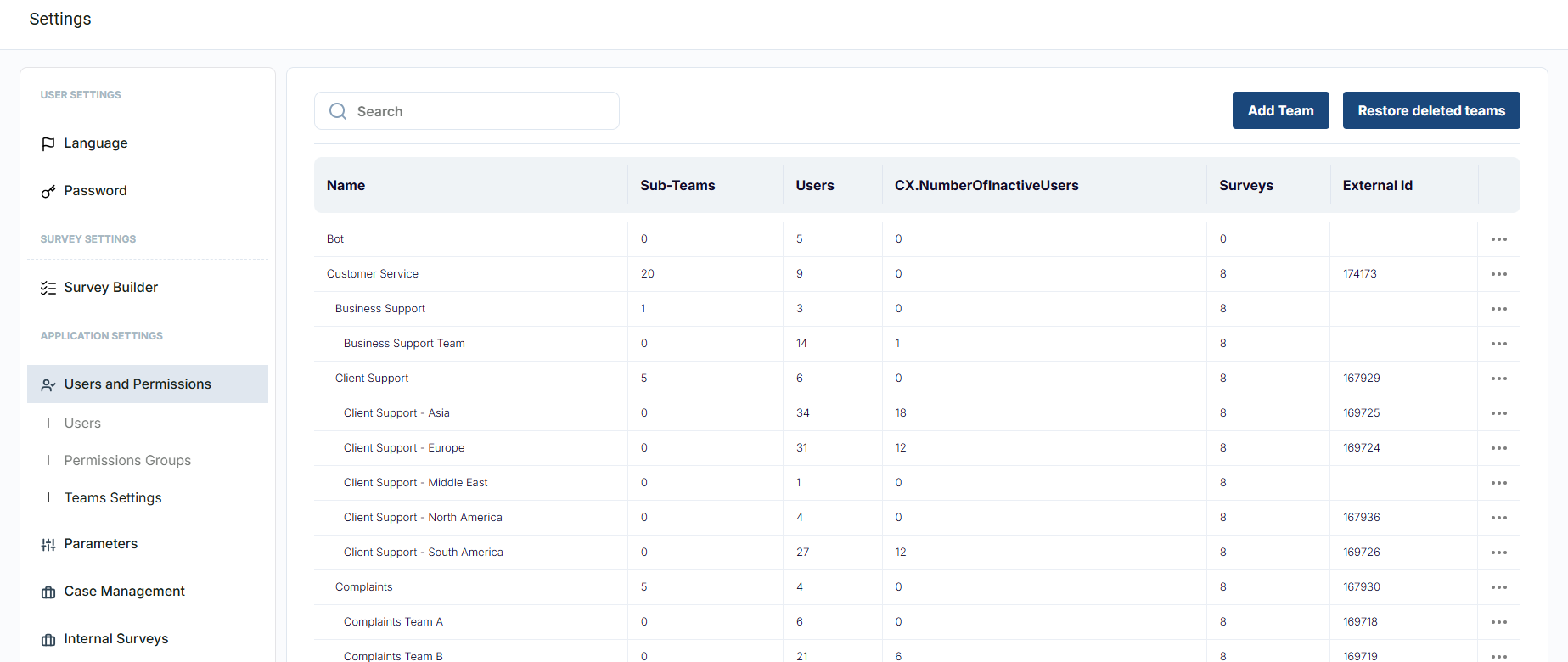
The Team Settings tab allows you to determine the team hierarchy within your organisation.
Every business is set up differently, so with CX Index there is ample flexibility around how you can organise your teams and users. There is no limit to the hierarchical complexity allowed in how you organise your teams.
How to add a team to the org structure
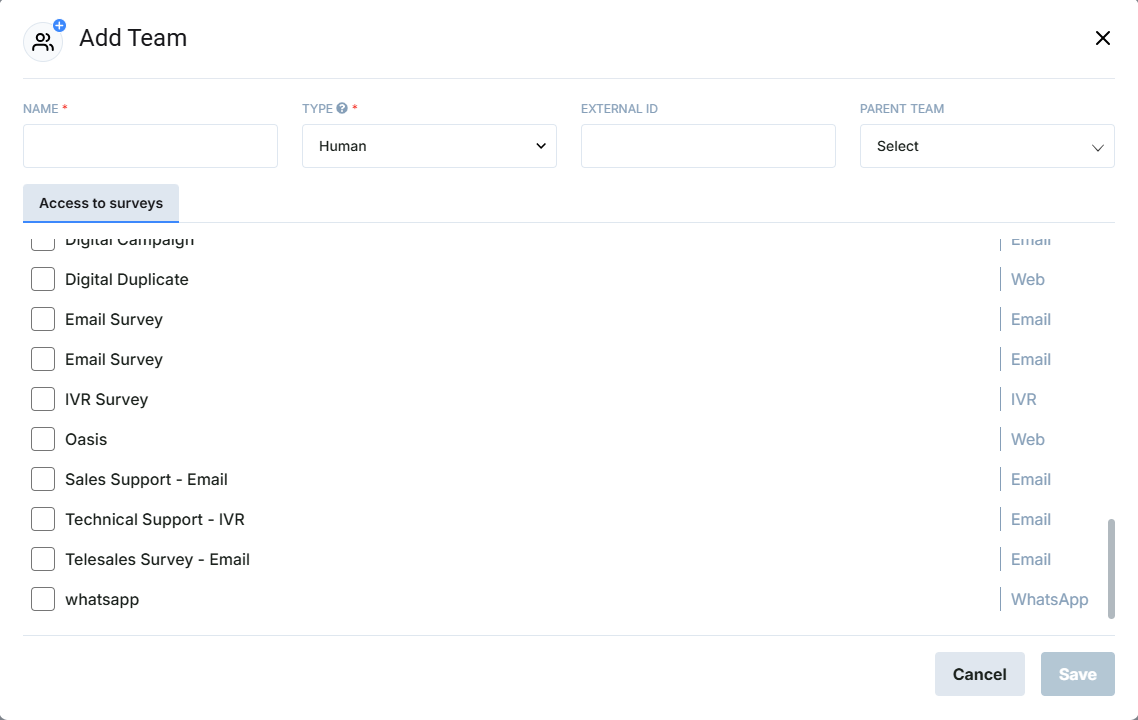
Press the Add Team button.
Fill in the fields as indicated by the pop-up window. If you choose to select a parent team, the new team will be a sub-team of the parent team chosen.
Note: For a Genesys integration, the External Id can be the relevant Group ID from Genesys if you are mirroring your Genesys hierarchy with user groups.
Press the Save button on the pop-up window to save the new team to the organisational hierarchy.
Edit a Team
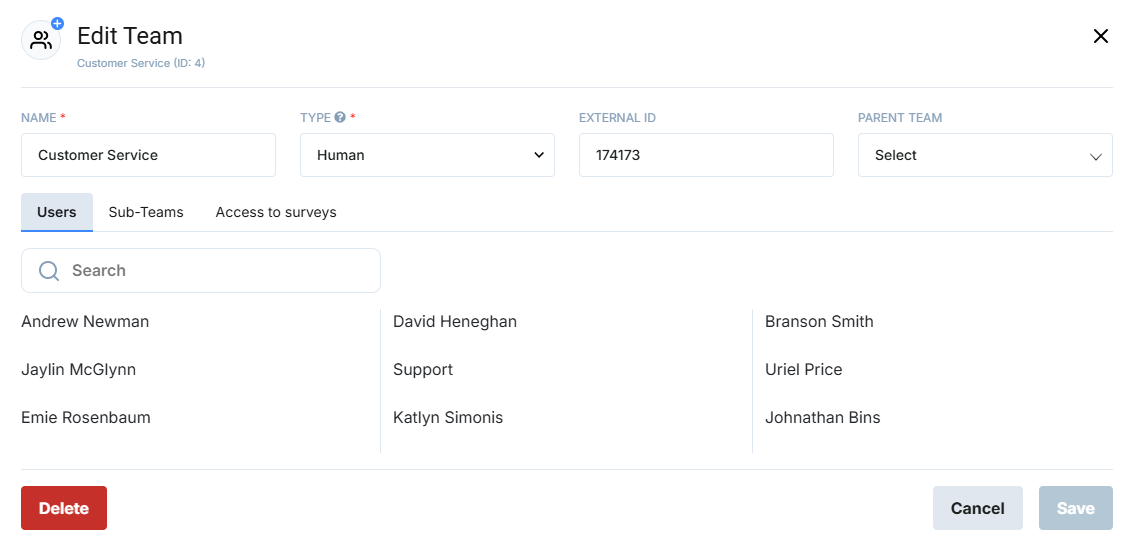
By pressing the Edit button next to a team, you can change the name, External ID or Parent Team of any team in the hierarchy.
You can also remove a team here by selecting the Delete button. If this team has connections in the platform (case management rules, users, surveys, etc.) you will not be able to remove the team.
How to upload an organisation’s hierarchy
It is possible to upload organisation hierarchy via import using our ETL tool. Instructions on how to use this tool can be found here: How to load files into your CX Index database.