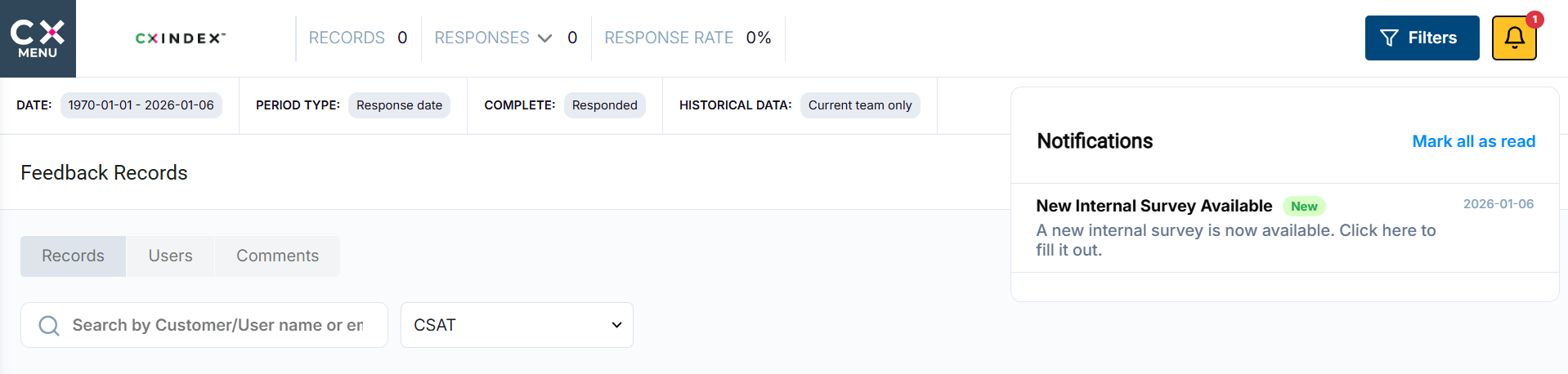
How to use Internal Surveys
This tool enables the creation and distribution of internal surveys across the platform. Survey creators can design custom questionnaires, define target recipients (such as specific users, teams, roles, or permission groups), and configure key settings including the survey’s active date range and priority.
Surveys can be tailored to reach the right audience at the right time, ensuring relevant feedback is collected efficiently. The tool supports flexible survey management, making it easy to launch, manage, and monitor internal surveys at scale.
In order to create an internal survey, navigate to the side menu -> Settings -> Internal Surveys.
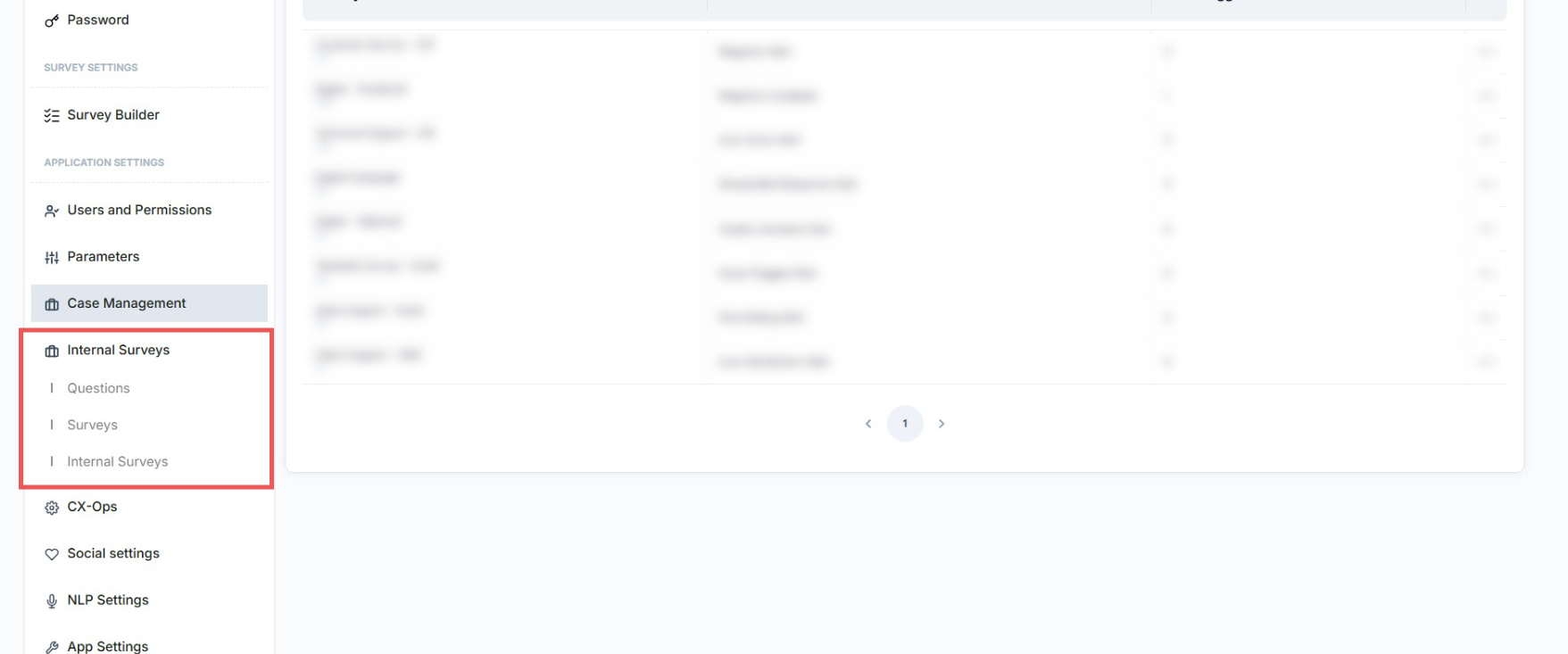
First, you need to create a question for your survey. To do that, select the Questions tab. Here, press the Add New Question button.
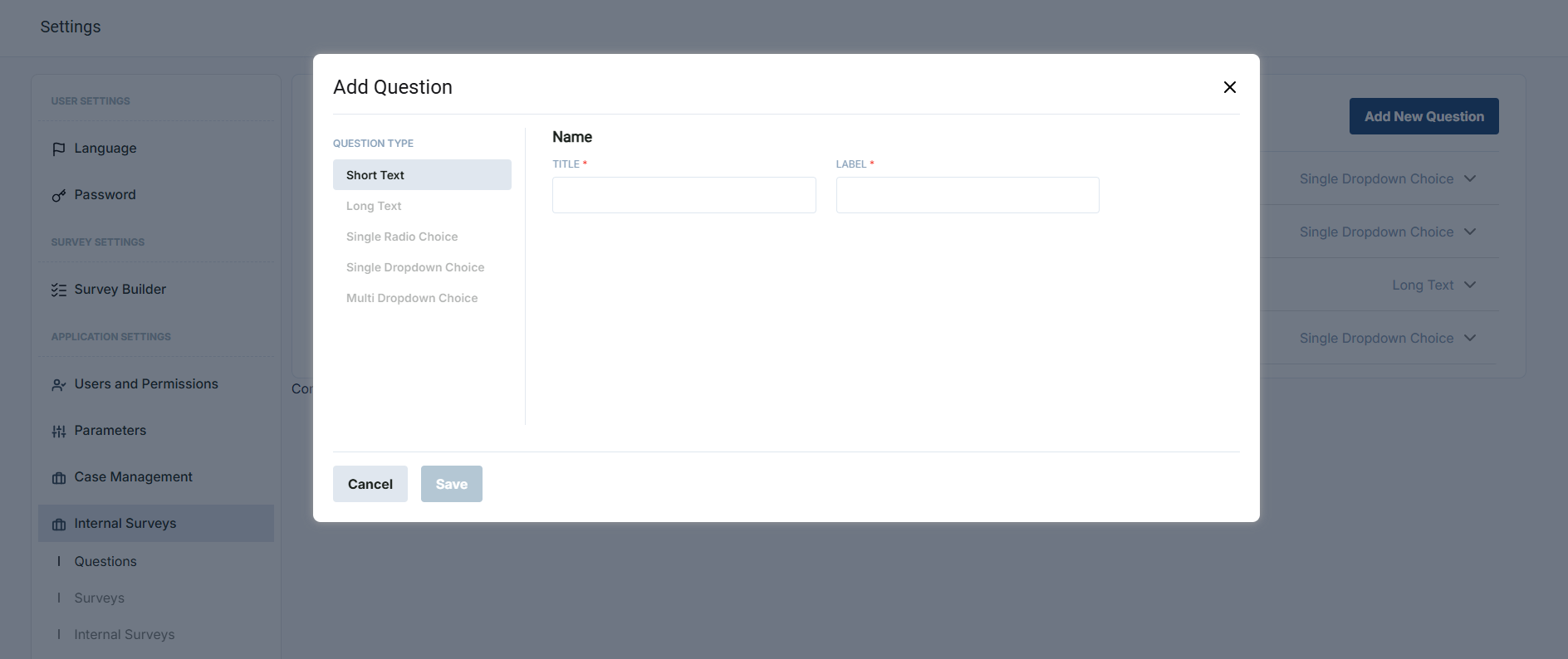
First, you need to create a question for your survey. To do that, select the Questions tab. Here, press the Add New Question button.
When all questions are set up, click on the Surveys tab.
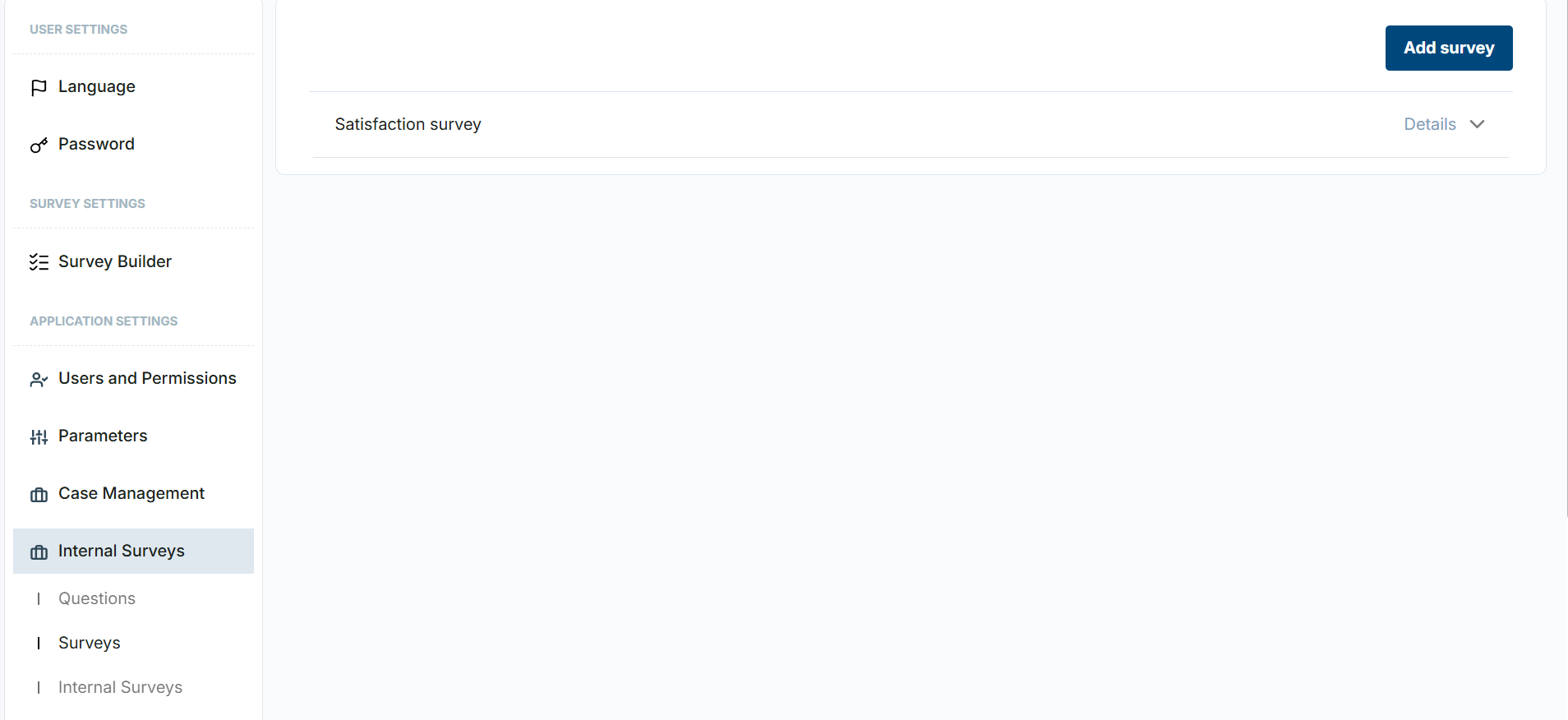
In order to create a new Survey, press the Add survey button.
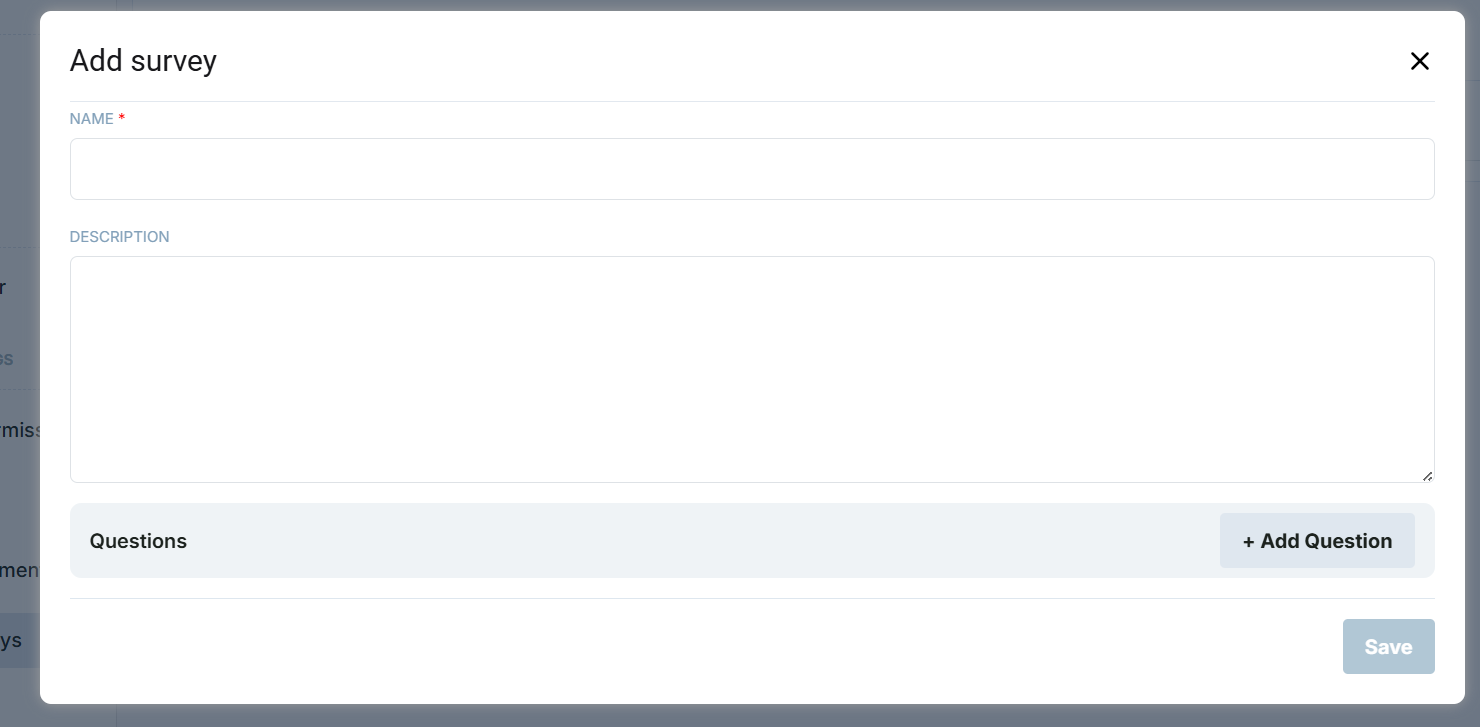
Here, add a survey name, optionally survey description, and select questions by pressing the + Add Question button.
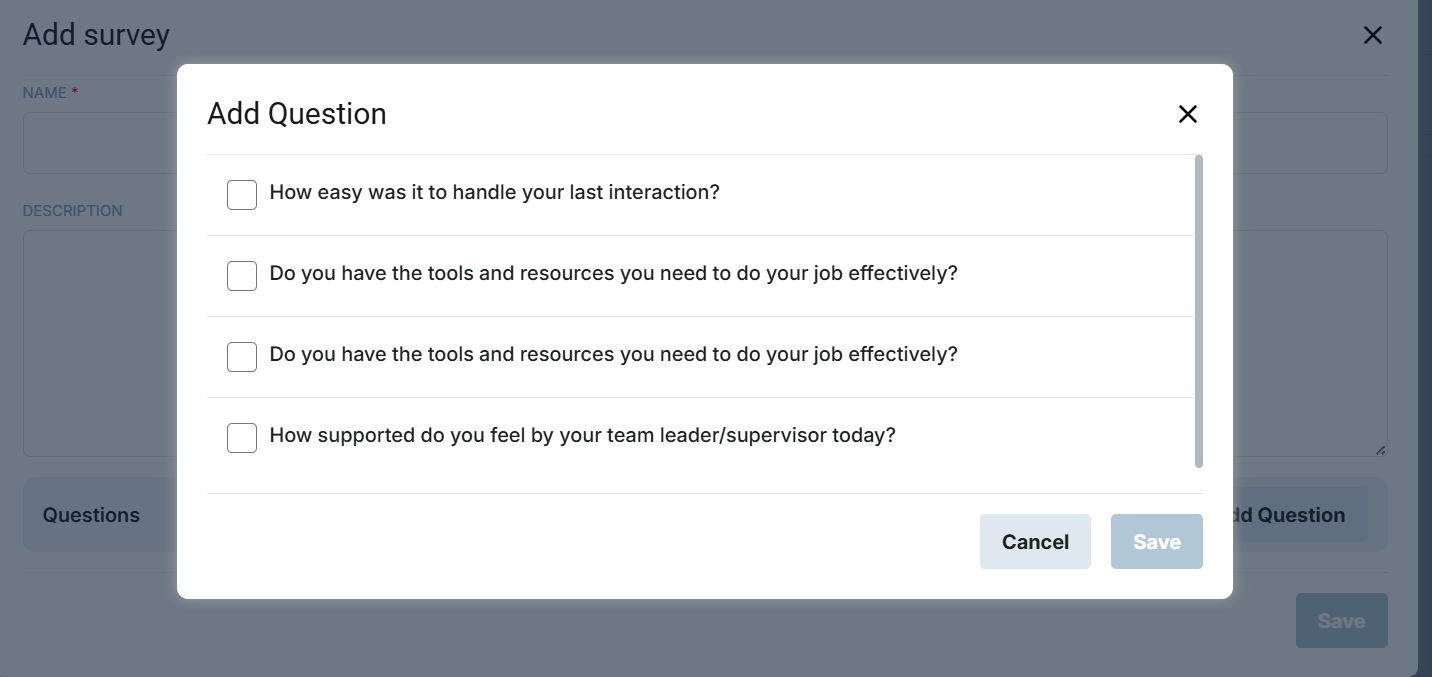
Once questions are selected, press the Save button, and then press the Save button again. The survey is saved. Now, it is time to define recepients and other survey details. To do that, navigate to the Internal Surveys tab.
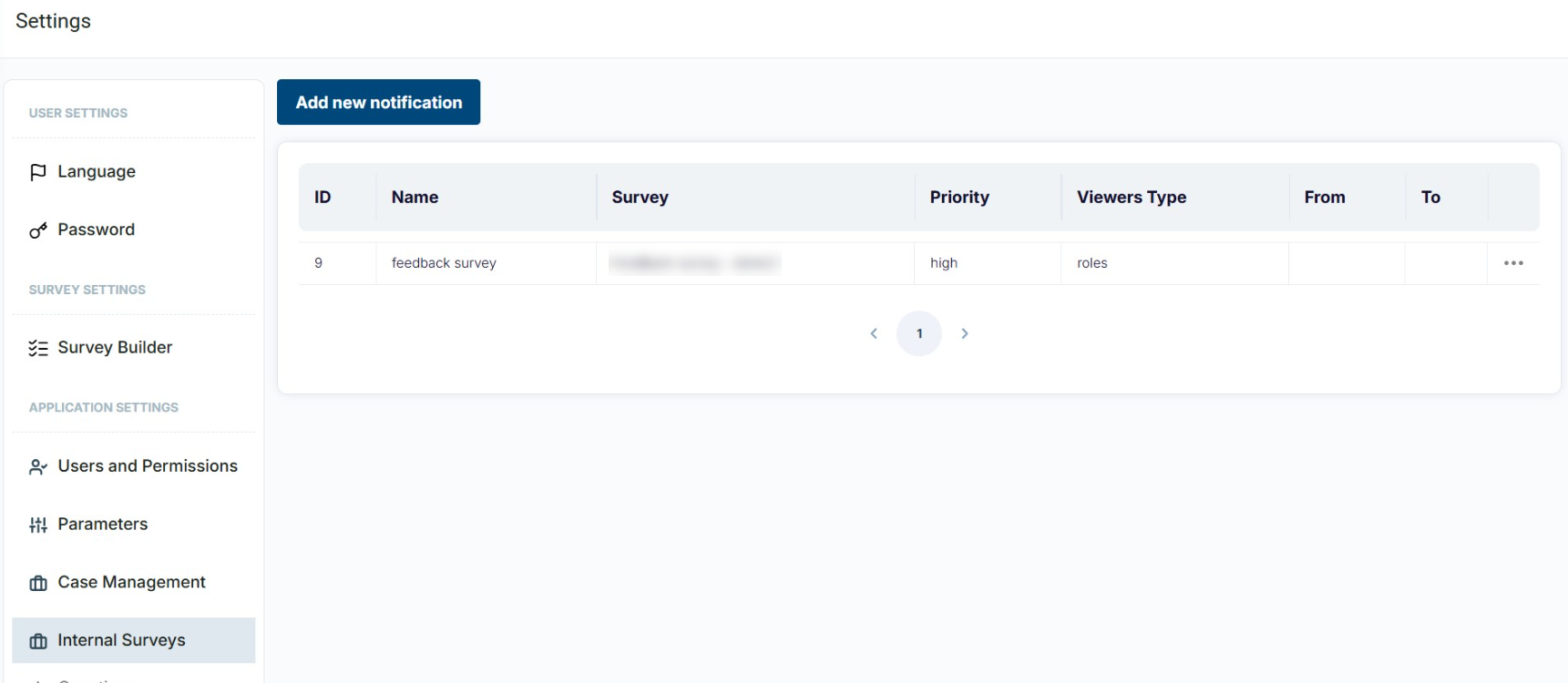
Press the Add new notification button.
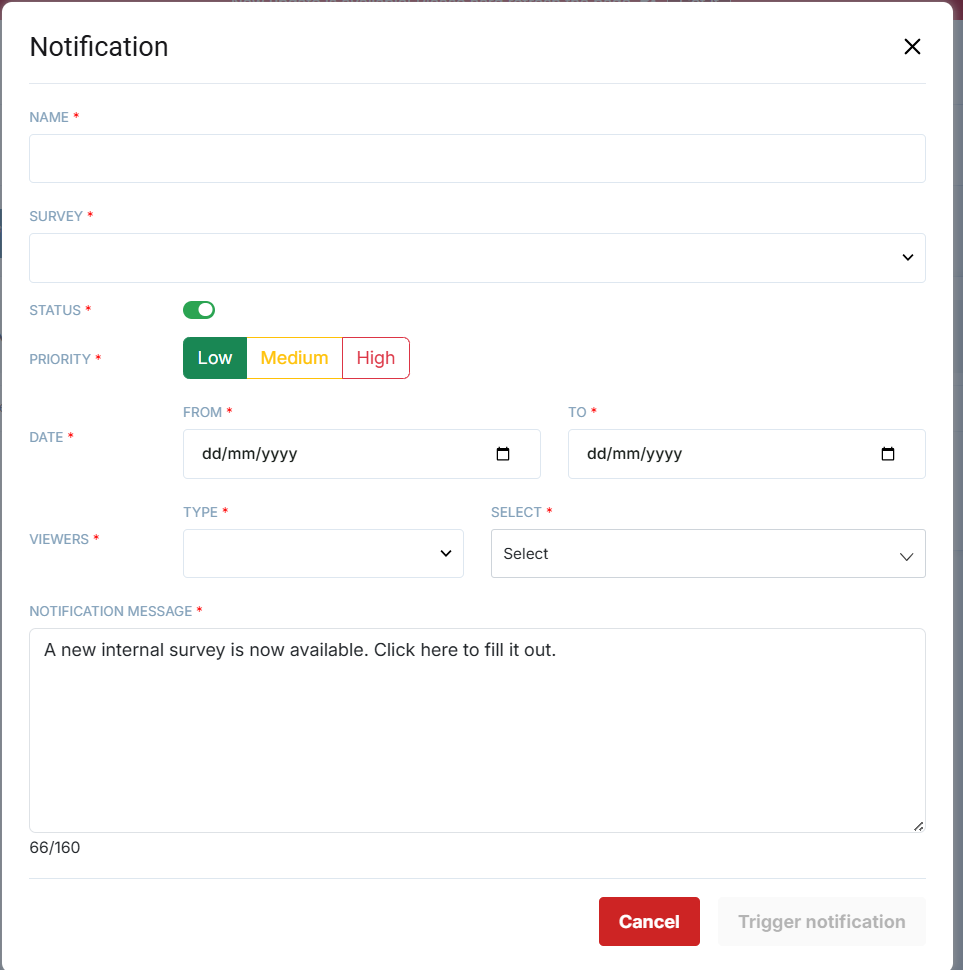
On this screen, the following are defined:
- Name - a notification name
- Survey - a specific survey with a set of questions that will be used for this notification
- Status - active or inactive
- Priority - low/medium/high
- Date - range from which users will be able to fill in the survey
- Viewers - recipients of the survey. It might be specific users, teams, permission groups, or roles
- Notification message - message displayed to recipients
Once all the fields are set up, press the Trigger notification button. After doing so, survey recipients will receive a notification in the notification bell.